 My lettering practice continues...
 This is another pattern I created recently in one of my journals, using Pitt brush pens and a Prismacolor Fineliner pen.
 On this one, I applied the Photoshop "craquelure" texture to my pattern. I like the 3-D effect.
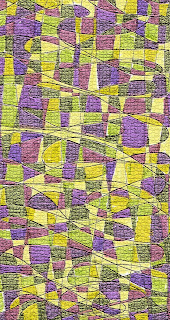 This is a pattern I doodled and colored in using Pitt pens. (My doodling was inspired by my talented sister Ilene--her colorful art journaling blog is at http://theinneriartjournal.blogspot.com/.) Then I scanned my design and applied the Photoshop "mosaic" texture. Sigh...looks like another obsession in the making :).
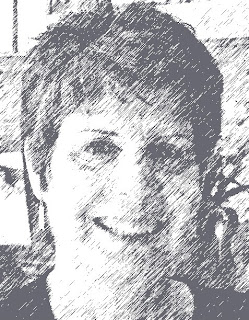 I've installed Adobe Photoshop Elements on my computer (yes, Ryan, finally :)). Two interesting things to report:
1. While all my photos were loading onto Photoshop, they were displayed before me in quick succession. It was as if my life were being replayed on the screen in front of me--a very weird feeling! Recent photos of family, friends, vacations, art and lettering projects...my childhood photos...as well as sepia-toned pictures of long-gone ancestors and relatives I never knew.
2. I may never have to do a pen and ink sketch again :)! Because, as everyone who uses Photoshop no doubt knows, there's a neat feature that allows you to make a photo look like a sketch, with a click of the mouse. Thus, I present to you this "sketch" of a black and white version of a great photo Ryan took of me earlier this year.
 Something beautiful that I read on a blog today (abccreativity.com).
 Yesterday I took one of the face sketches I did recently and used the "hand sanitizer" technique to transfer it onto patterned paper. I was pleasantly surprised at the clarity of the transferred image.


